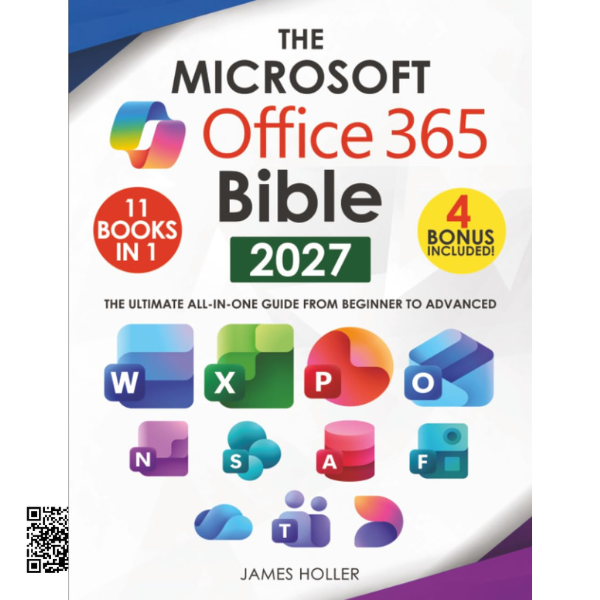
The Microsoft Office 365 Bible
A practical all-in-one guide to mastering the Microsoft Office suite
Whether you use your computer for work, study, business, or everyday tasks,
understanding Microsoft Office can help you save time and work more efficiently.
This comprehensive guide brings together essential information about some of the
most widely used Microsoft applications in one convenient resource.
From creating professional documents and powerful spreadsheets to preparing
presentations, managing email, collaborating with teams, and organizing files,
this guide is designed to help users understand the tools they use every day.
📚 What’s Included?
01. Excel
Learn essential spreadsheet features, functions, shortcuts, and productivity techniques.
02. Word
Create, edit, format, and manage professional documents more efficiently.
03. PowerPoint
Build presentations and use useful features to improve your workflow.
04. OneNote
Organize notes, information, ideas, and important content.
05. OneDrive
Understand cloud file storage and convenient access to your files.
06. Outlook
Manage email, communication, and everyday productivity tasks.
07. Teams
Explore collaboration and communication features for modern work environments.
08. Access
Discover essential concepts for working with databases and information.
09. Publisher
Learn useful tools for creating and managing professional layouts and publications.
⚡ Learn Smarter and Work Faster
- Understand the fundamentals of each application.
- Discover useful shortcuts and productivity tips.
- Learn how different Office applications complement one another.
- Understand which application is best suited for different tasks.
- Explore features you may not have used before.
- Improve your everyday Microsoft Office workflow.
🎁 Included Bonus Resources
Bonus 1: How to Build the Perfect Office at Home
Bonus 2: How to Manage Time as a Professional
Bonus 3: 7 Ways to Stop Wasting Time and Get Stuff Done
Bonus 4: Improve Your Communication Skills at Work
👨💻 Who Is This Guide For?
This guide is suitable for beginners who are just getting started with Microsoft
Office, as well as experienced users who want to discover additional features,
shortcuts, and productivity techniques.
- Students and learners
- Office and business professionals
- Home users
- Entrepreneurs and small-business owners
- Beginners learning Microsoft Office
- Experienced users looking to improve productivity
Master More of Microsoft Office
Build your confidence, discover useful features, and make everyday computer
tasks easier with this comprehensive Microsoft Office 365 guide.